
在 WPF MVVM Application 中使用 Dependency Injection
TLDR
- 在 WPF 中使用 Dependency Injection (DI) 必須移除
App.xaml中的StartupUri屬性,改為在OnStartup方法中手動建立並顯示MainWindow。 - 使用
CommunityToolkit.Mvvm時,ViewModel 必須繼承ObservableObject並宣告為partialclass。 ObservableProperty會自動產生 Pascal Case 的屬性供 XAML 綁定。RelayCommand會自動產生「方法名稱 + Command」的屬性供 XAML 綁定。
在 WPF 使用 Dependency Injection
在 WPF 專案中引入 Microsoft.Extensions.DependencyInjection,可以有效管理物件生命週期並解耦元件。
App.xaml 設定與注意事項
若要在 WPF 中使用 DI,必須調整應用程式的啟動邏輯。
什麼情況下會遇到這個問題: 當你在 App.xaml 中保留了 StartupUri 屬性,同時又在 MainWindow 的建構函式中加入了需要注入的參數時,WPF 框架會因為找不到無參數的建構函式而拋出錯誤。
解決方案:
- 移除
App.xaml中的StartupUri屬性。 - 在
App.xaml.cs的OnStartup方法中,手動建立ServiceProvider並啟動MainWindow。
csharp
public partial class App : Application {
    protected override void OnStartup(StartupEventArgs e) {
        IConfigurationBuilder builder = new ConfigurationBuilder()
            .SetBasePath(Directory.GetCurrentDirectory())
            .AddJsonFile("appsettings.json", optional: false, reloadOnChange: true);

        IConfiguration configuration = builder.Build();

        ServiceCollection serviceCollection = new ServiceCollection();
        ConfigureServices(serviceCollection, configuration);

        ServiceProvider serviceProvider = serviceCollection.BuildServiceProvider();

        MainWindow mainWindow = serviceProvider.GetRequiredService<MainWindow>()!;
        mainWindow.Show();
    }

    private static void ConfigureServices(IServiceCollection services, IConfiguration configuration) {
        services.Configure<AppOptions>(configuration!.GetSection("App"));
        services.AddTransient<MainWindow>();
        services.AddTransient<ViewModel>();
    }
}建立 WPF MVVM Application
使用 CommunityToolkit.Mvvm 可以大幅簡化 MVVM 的開發流程。
ViewModel 實作規範
什麼情況下會遇到這個問題: 若未正確使用 partial 修飾詞或未繼承 ObservableObject,Source Generators 將無法產生對應的屬性與 Command,導致編譯失敗或綁定失效。
實作重點:
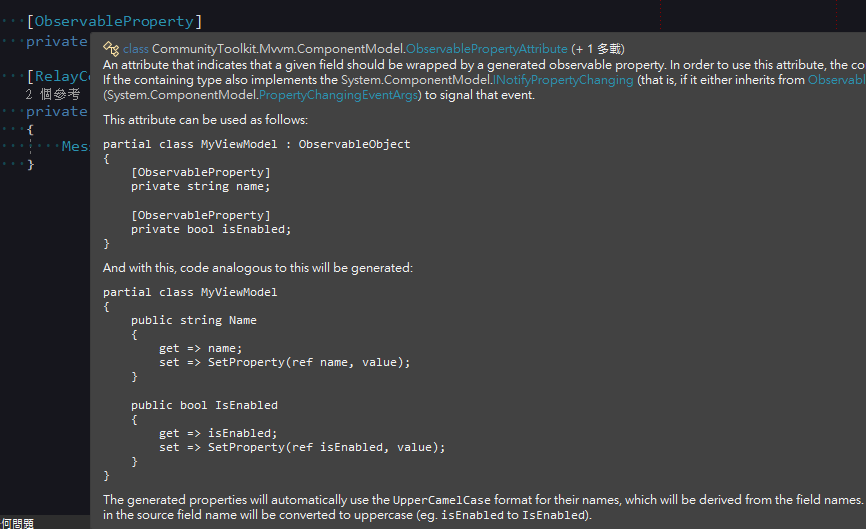
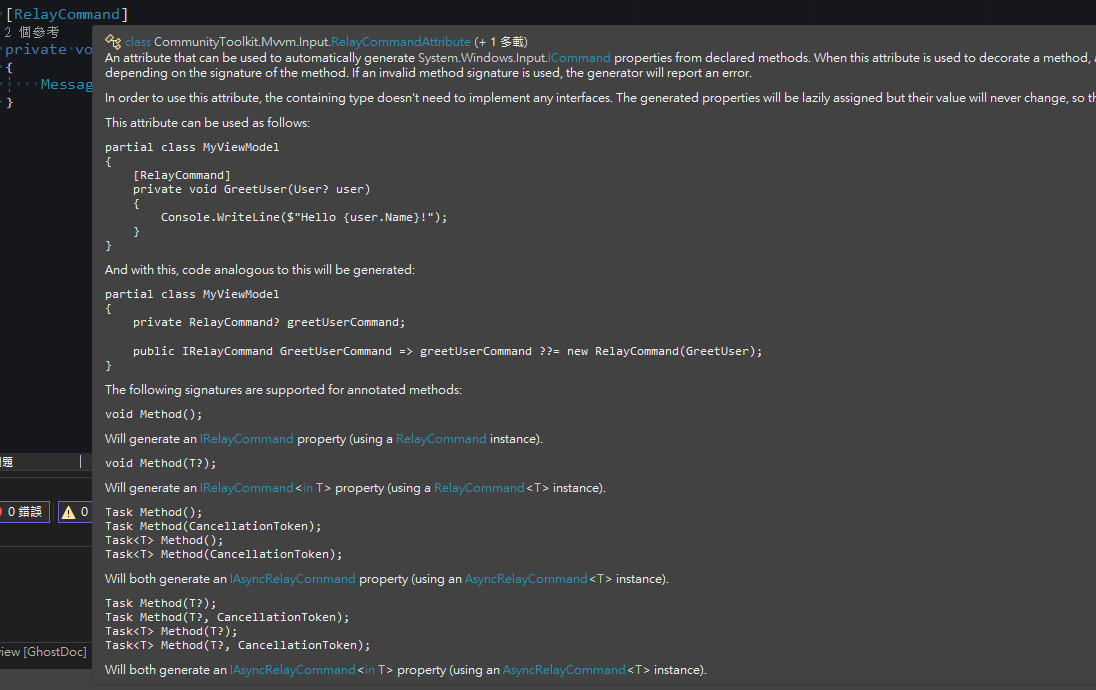
- ViewModel 必須繼承
ObservableObject。 - ViewModel 必須使用
partial修飾詞。 - 使用
[ObservableProperty]標記欄位,系統會自動產生對應的 Pascal Case 屬性。 - 使用
[RelayCommand]標記方法,系統會自動產生對應的「方法名 + Command」屬性。
csharp
public partial class ViewModel : ObservableObject {
    [ObservableProperty]
    private string? input;

    [RelayCommand]
    private void Submit() {
        MessageBox.Show("輸入值:" + Input);
        Input += "_修改";
    }
}
MainWindow.xaml 綁定
在 MainWindow 的建構函式中透過 DI 注入 ViewModel,並設定 DataContext。
csharp
public partial class MainWindow : Window {
    public MainWindow(ViewModel viewModel) {
        InitializeComponent();
        DataContext = viewModel;
    }
}在 XAML 中進行綁定時,需使用 Source Generator 產生的名稱:
xml
<TextBox Text="{Binding Input}"/>
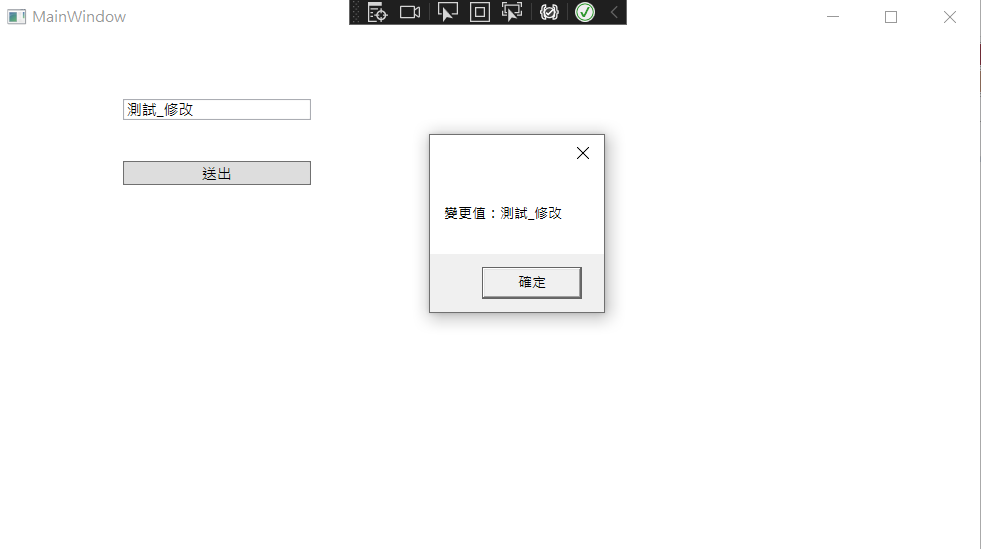
<Button Content="送出" Command="{Binding SubmitCommand}"/>執行結果
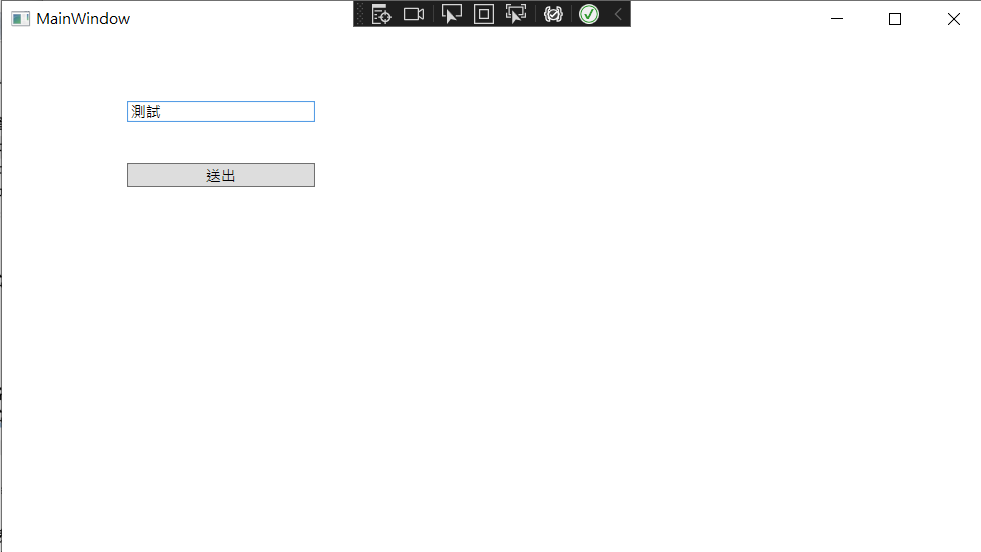
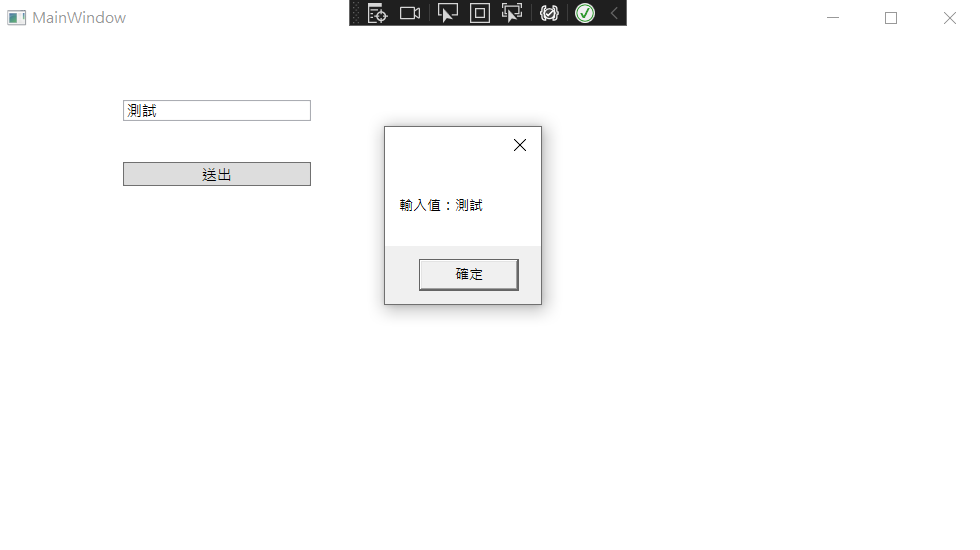
- 輸入資料後點擊按鈕,
SubmitCommand會正確觸發Submit()方法。 - 透過
ObservableProperty產生的屬性,當Input值在ViewModel中變更時,UI 會自動同步更新。
異動歷程
- 2023-02-15 初版文件建立。